All features
From the evening loop to the trip around the world, piece by piece.
What Pedalglobe can do, by area. Everything is calculated on your device, nothing needs an account. Where Pro is needed, it says so, everything else is free.
Plan
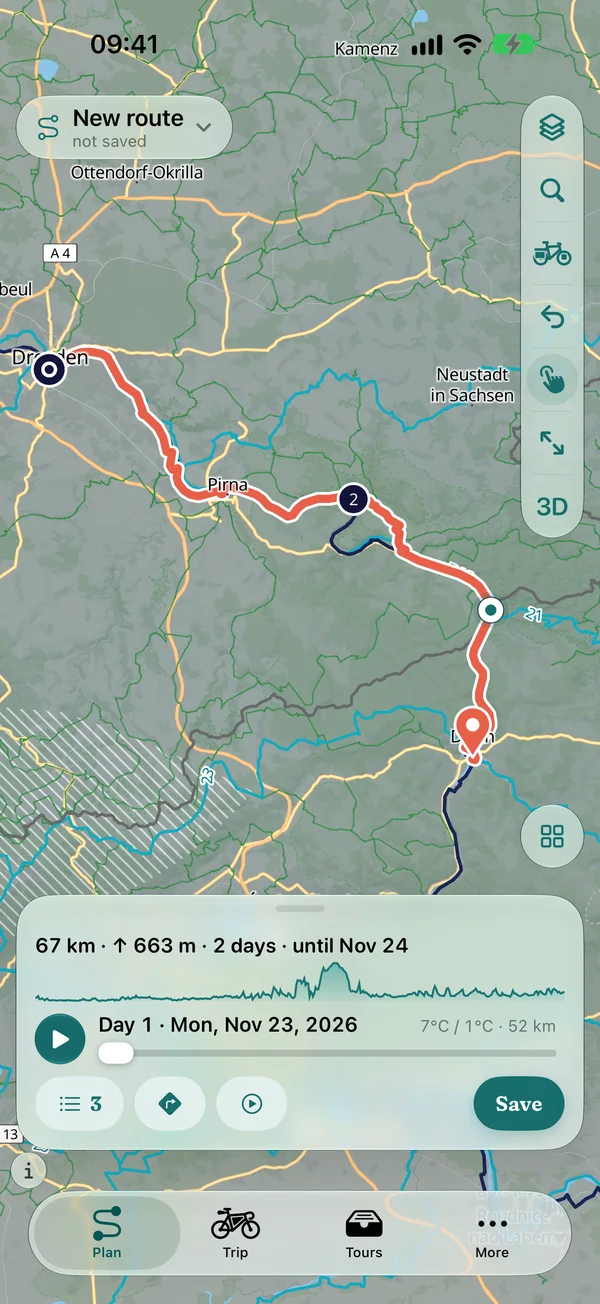
Set start and finish, and Pedalglobe builds the bike route on your device. You see the result with elevation profile and surfaces before you set off.
Building routes
Bike routing worldwide, calculated on your device
- Set start, finish and via points on the globe or map, by tapping or searching, and reorder them
- Routing along cycle paths, long-distance cycle routes and quiet roads, calculated on iPhone, iPad or Mac
- Means of transport per section: bike, train, bus, ferry or plane, so gaps don't stay gaps
- The draft is saved continuously, saving with a name puts it under “Tours”
- Without routing data the app shows an estimated distance with “≈” and offers the download
Bike types and routing options
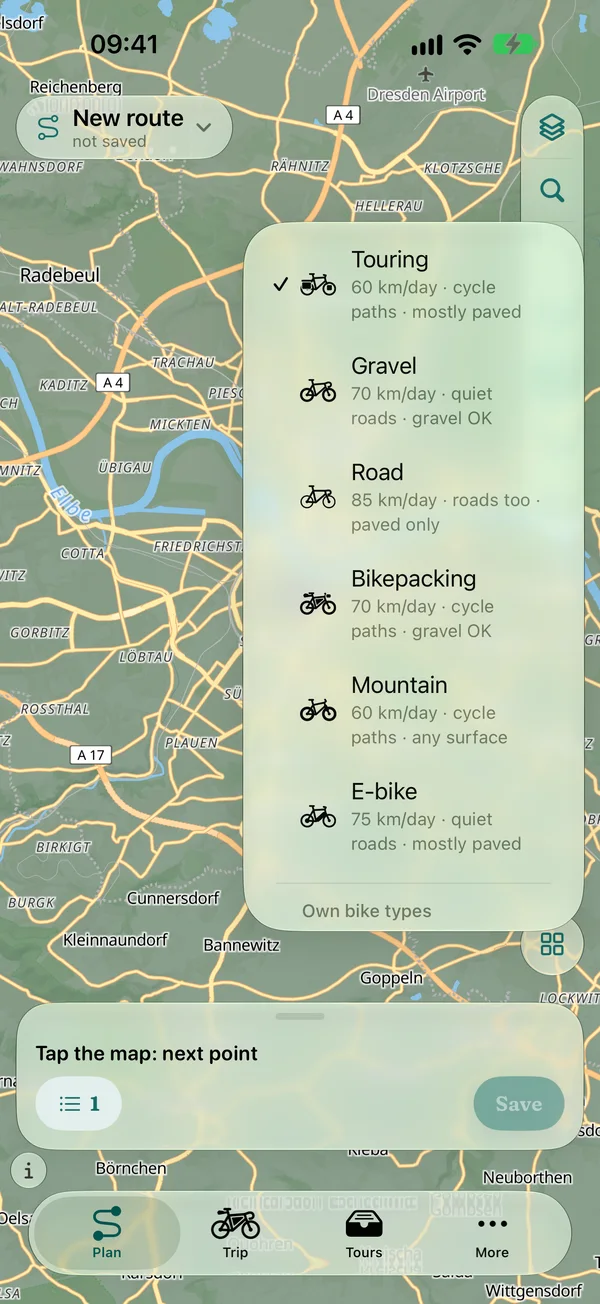
Six bike types, your own options with Pro
- Touring
- Gravel
- Road
- Bikepacking
- Mountain
- E-bike
- Every bike type with its own pace and preferences for ways and surfaces: the road bike stays on asphalt, the mountain bike takes any trail
- The bike applies to the whole trip, with pace and rest days
- With Pro: routing options and your own bike types, for example avoid gravel, limit gradients or collect passes (the route leads over passes nearby)
Elevation profile and surfaces
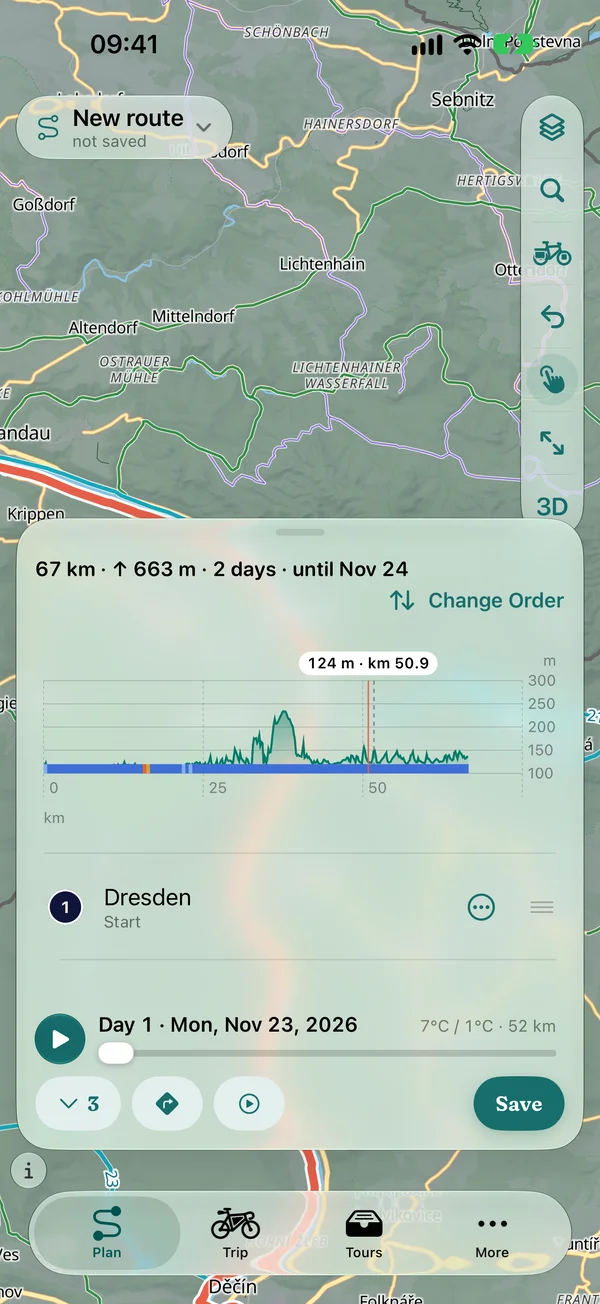
See what's coming before it comes
- Elevation profile while planning, also on iPhone: a profile line in the panel, expanded the whole profile with day boundaries
- One tap on the profile shows elevation and kilometre, and the map jumps there
- Surface band under the profile and at every section: asphalt, gravel and path in colours, expandable by type of way
- Every climb with length, gradient and metres of ascent, surfaces also for whole trips
Variants, search, GPX
Compare, find, take over
- Compare variants: several routes between the same points side by side, with length, ascent, surfaces and climate
- Search for places, regions, mountains and rivers on your device, also offline. Addresses with house numbers are found by Apple Maps, only when you enter an address
- Import GPX: keep it exactly (1:1) or snap it to the paths, both lines on the map to compare, also several files and multi-day tracks
- Export GPX: the whole route or trip for free, per daily stage with Pro
Climate
Long-term averages instead of gut feeling: how warm, wet and windy will it be on the road, day by day? Not a weather forecast, but the climate of the years 1995–2024 (cloud cover and wind 1981–2010).
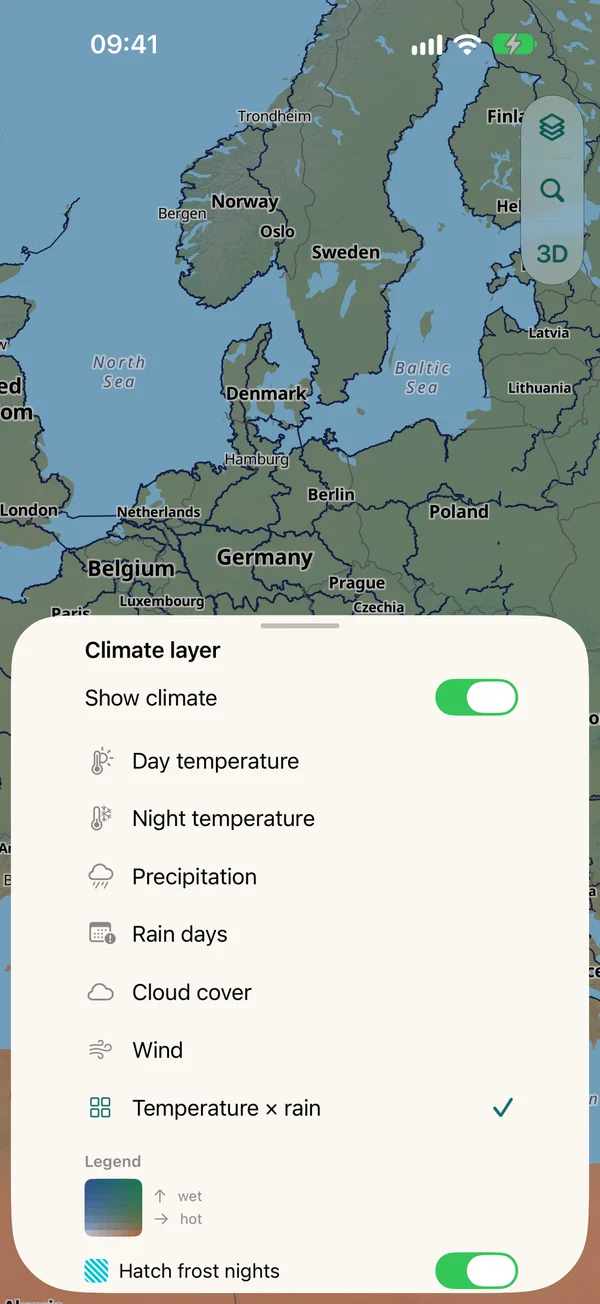
Climate layers and timeline
The world on every day of the year
- Climate map on the globe and on the flat map, over every map type
- Layers: temperature × rain, day temperature, night temperature, precipitation, rain days, cloud cover, wind
- Timeline across the year with playback, frost nights and heavy rain hatched
- Climate works offline, the data is built into the app
Climate thresholds and departure window
Your limits, your best start
- Every day of your trip is rated against your limits: temperature for cycling, temperature for camping at night, heat from, adjustable under “More › Planning › Climate thresholds”
- Share of pleasant days per route and trip, with the difficult days in the day list
- Best departure window: for every departure week, Pedalglobe works out how many days would be pleasant and shows the best weeks
- Climate per day in the trip, at the section and in “Today”
Trips
Routes become a trip: with daily stages, rest days, connections and everything that lives together under “Tours”.
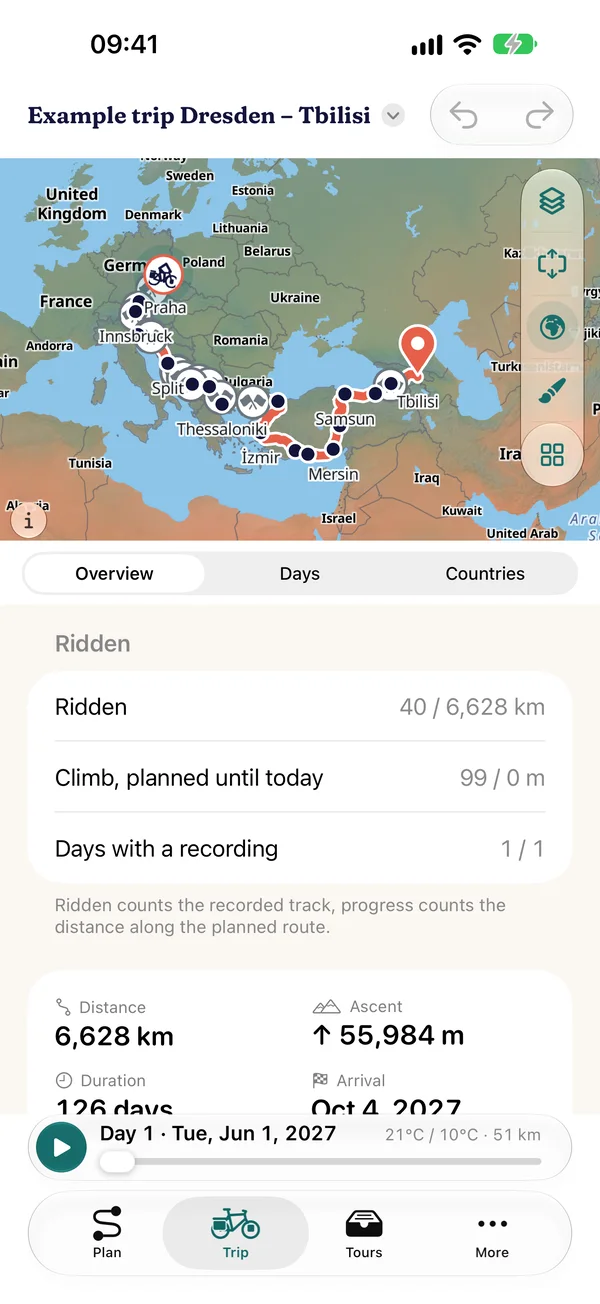
Daily stages and rest days
One trip, many routes
- Combine routes into a trip, change the order, reverse routes
- Daily stages from pace and bike, rest days and stays per place, “Continue no earlier than” for fixed dates
- Connections between routes by train, bus, ferry or plane, with timetable anchor and gap hint
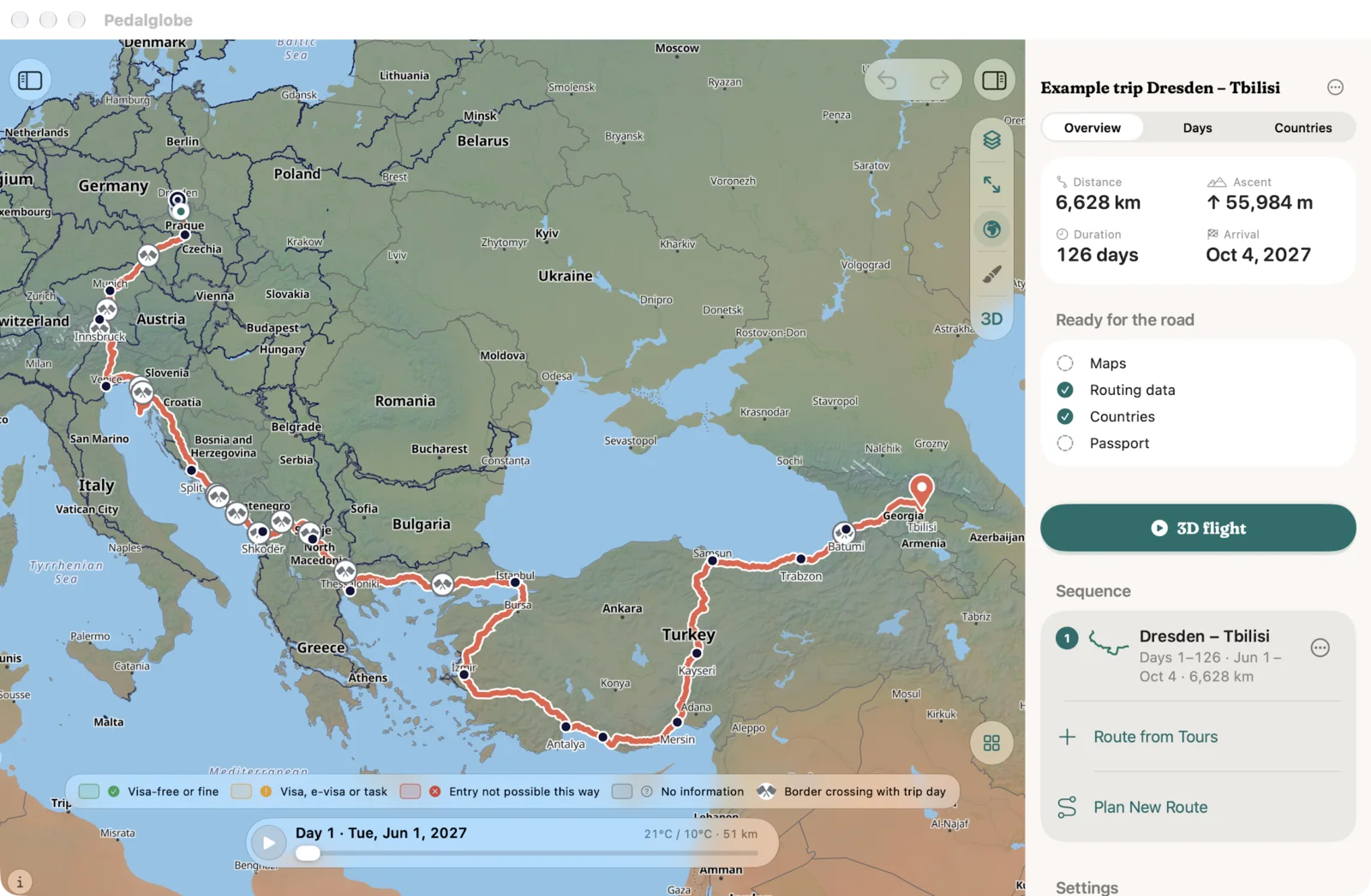
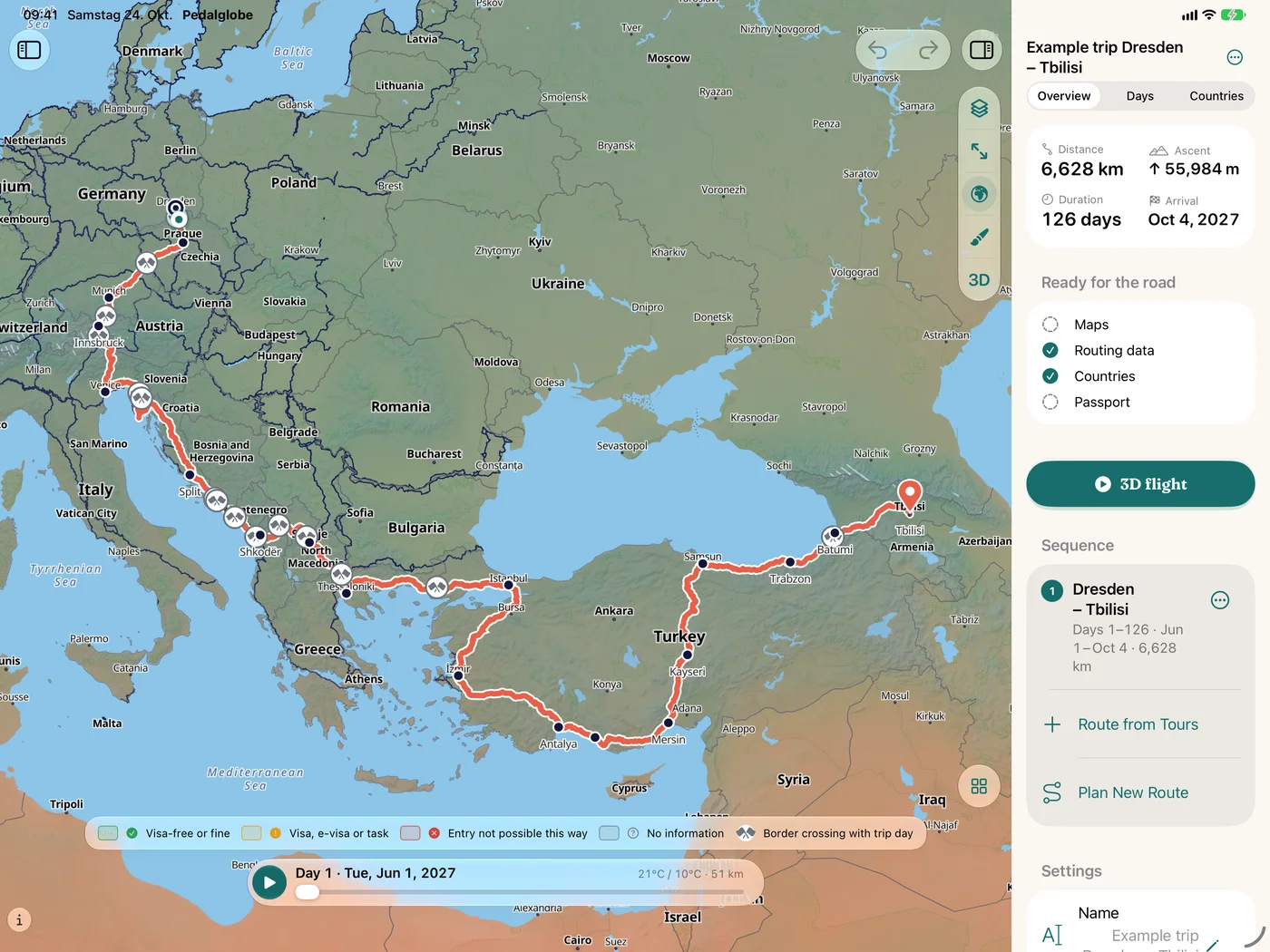
- Overview with distance, ascent, duration and arrival, days with climate and the stamps of the countries
Tours
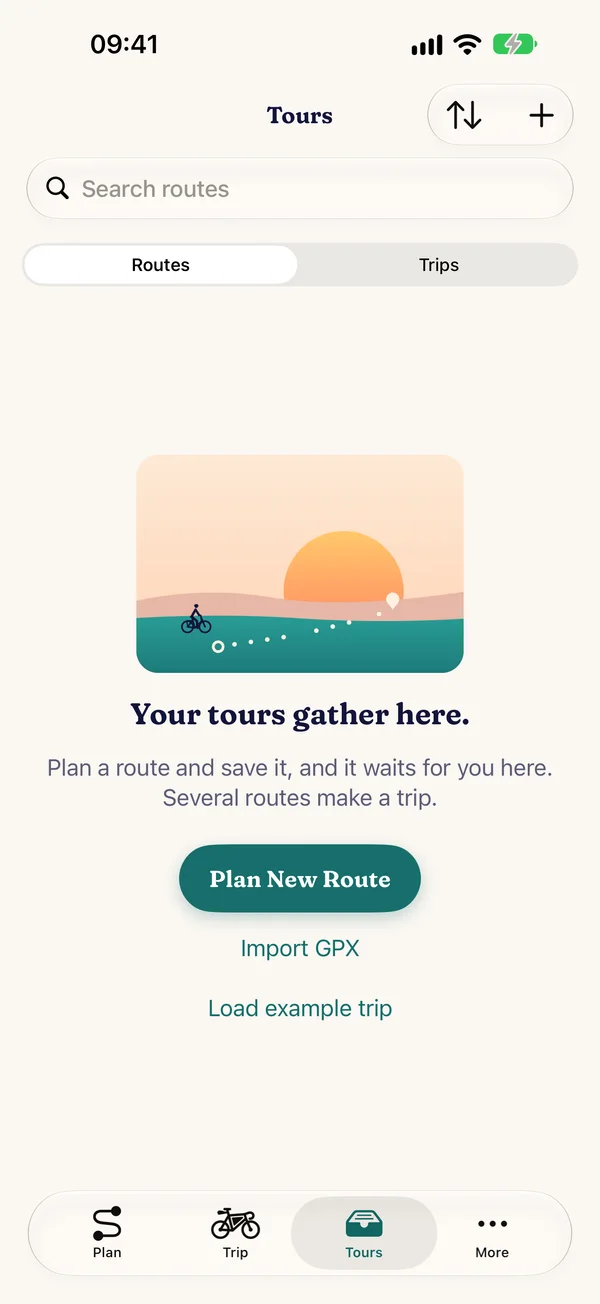
Everything saved in one place
- Routes and trips under “Tours”, with search and filter, multiple selection for new trips
- Recordings of your rides: save as a route, share as GPX, delete
- Export: GPX of the whole route or trip, visa schedule as a calendar file, with Pro GPX per day and a roadbook as PDF
- Recently deleted: restore within 30 days
Countries and visas
What applies at the next border? For more than 180 destinations worldwide, about 600 rules from official sources, each with source and check date.
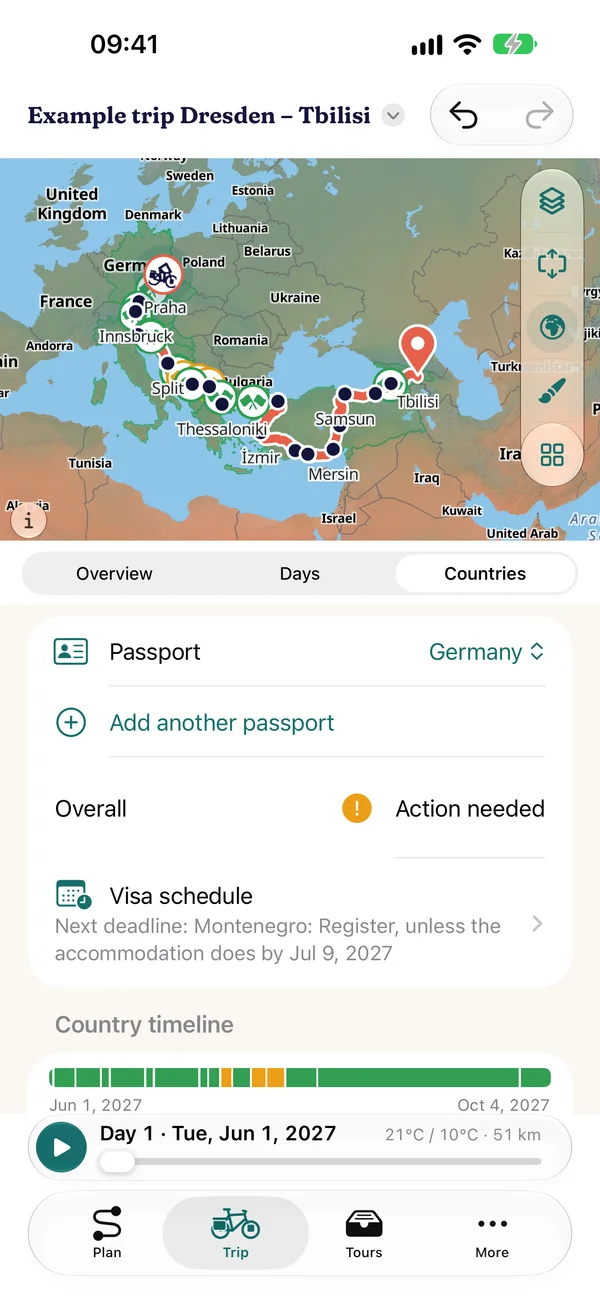
Entry and stay
Warning levels for every country of the trip
- Three levels per country: visa-free or fine, visa, e-visa or task, entry not possible this way, plus “no information” where we are still checking
- Permitted length of stay against the planned days, country timeline and visa schedule with deadlines as a calendar file
- Border crossings with trip day on the map and in the day list
- For EU, Swiss, Norwegian, UK, US and Canadian passports, partly Australian and New Zealand. Several passports at once, with links to the foreign ministries
Country information
The essentials for every country
- Languages, currency, emergency numbers, plugs, time zone, driving side and links to official bodies for more than 200 countries and territories
- Countries on the map coloured by entry rules, with an expandable legend
- All offline, the data is built into the app and delivered checked with updates
Every entry names its source and date. No guarantee, only the authorities of the destination country are binding.
On the road
Navigation with voice guidance, the recording of your ride and the travel mode “Today”, which brings plan and reality together.
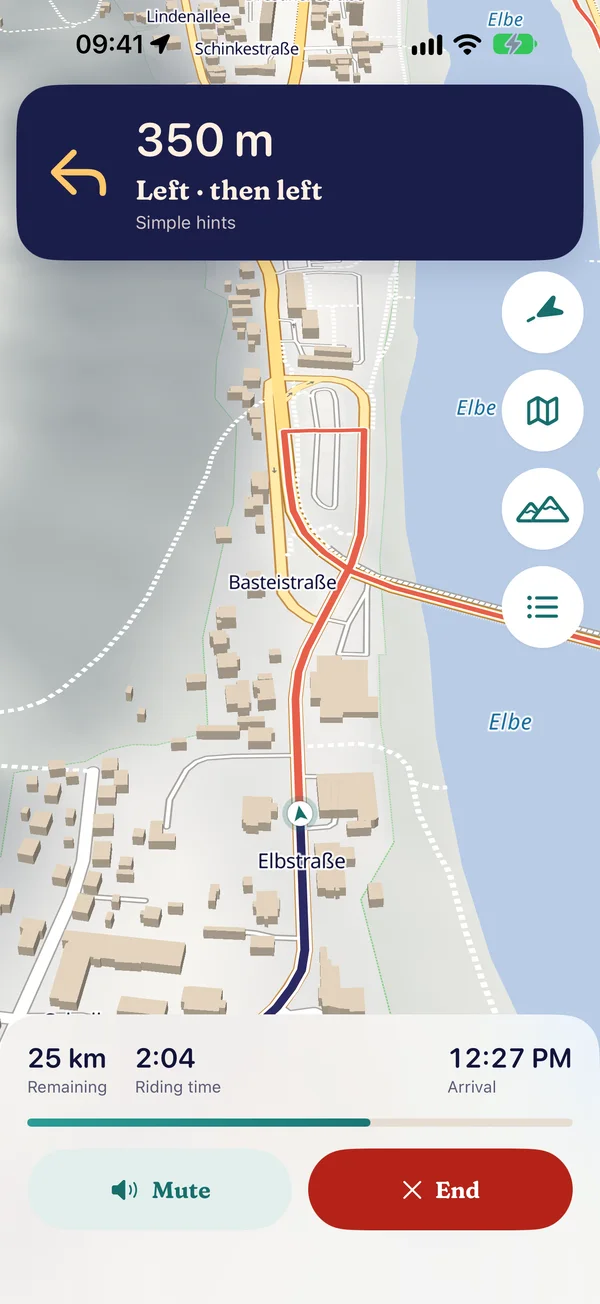
Navigation
Turn by turn to your destination
- Turn-by-turn directions with voice guidance in seven languages, mute with one tap
- Tilted map facing your direction of travel with relief and buildings, a calm camera without jumps, dark at night
- “Overview” shows the whole remaining route and returns with one tap, “Profile” the elevation profile with surfaces and the next climbs
- Keeps running while your iPhone is locked, with the next turn on the lock screen
- Picks up where you were after a crash. Start straight from the planner or from any route
- Trial ride: play through the navigation without location
Recording and “Today”
Plan vs. actual, day by day
- “Record track” stores every navigation as a ridden track with times and elevation, on your device and encrypted in your iCloud
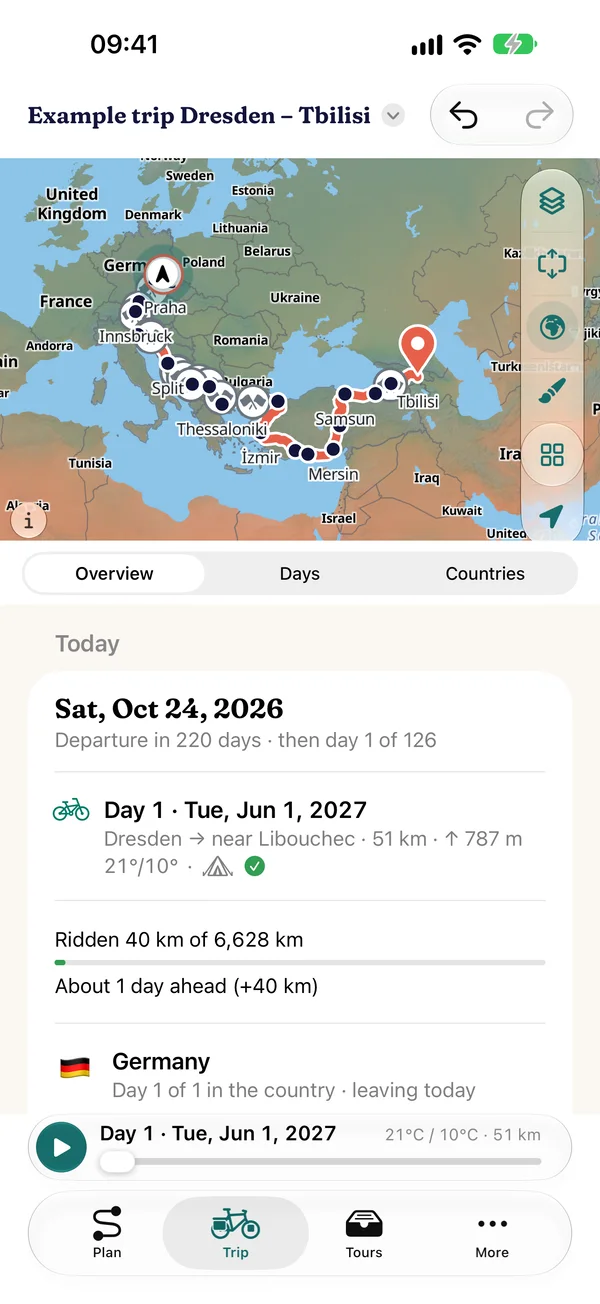
- Travel mode “Today”: stage of the day, ridden against planned, visa countdown, next border crossing
- Ridden track on the trip map next to the plan, actual values in the days and the overview
- “Replan from today”: the rest of the trip is recalculated from where you are, with preview and undo
- Stamps of the countries and passes you have really ridden
Maps and 3D
Five map types, cycle network, relief and contour lines worldwide, a tilted map in navigation and a 3D flight in two worlds.
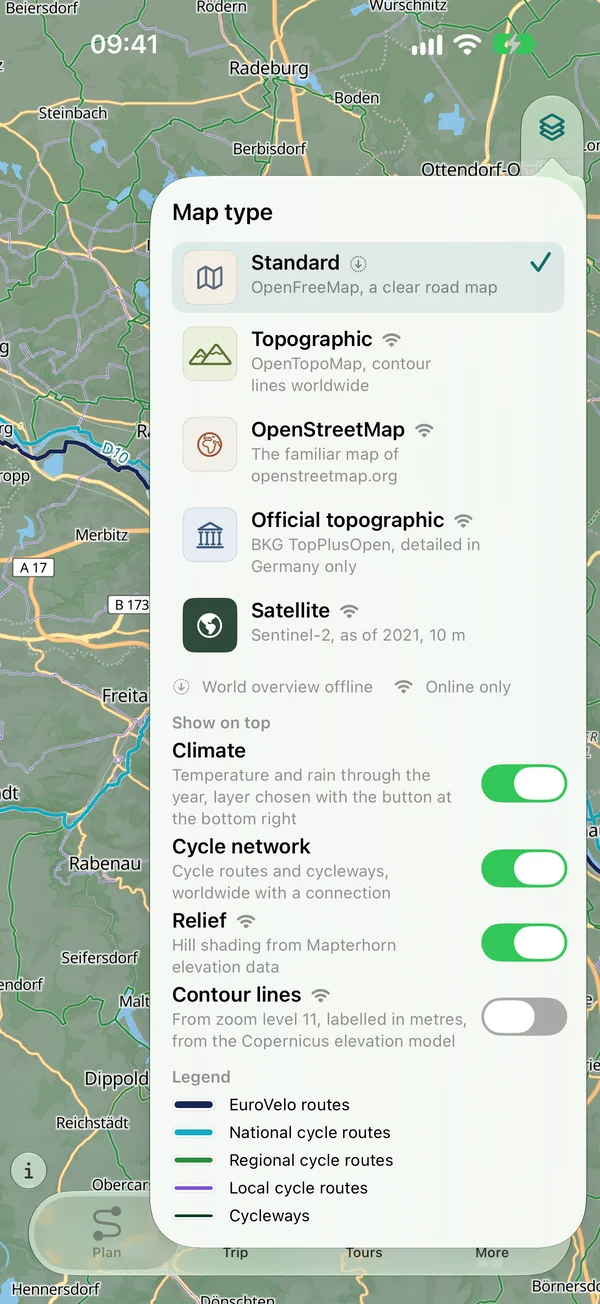
Map types
The map you need
- Standard, topographic, OpenStreetMap, official topographic and satellite
- Cycle network overlay: cycle routes and paths worldwide, with numbers on long-distance routes
- Worldwide relief, contour lines from the Copernicus elevation model over every map type
- Tilted map with relief and buildings in navigation
- Globe or flat map, day and night
3D view and 3D flight
Fly along the route
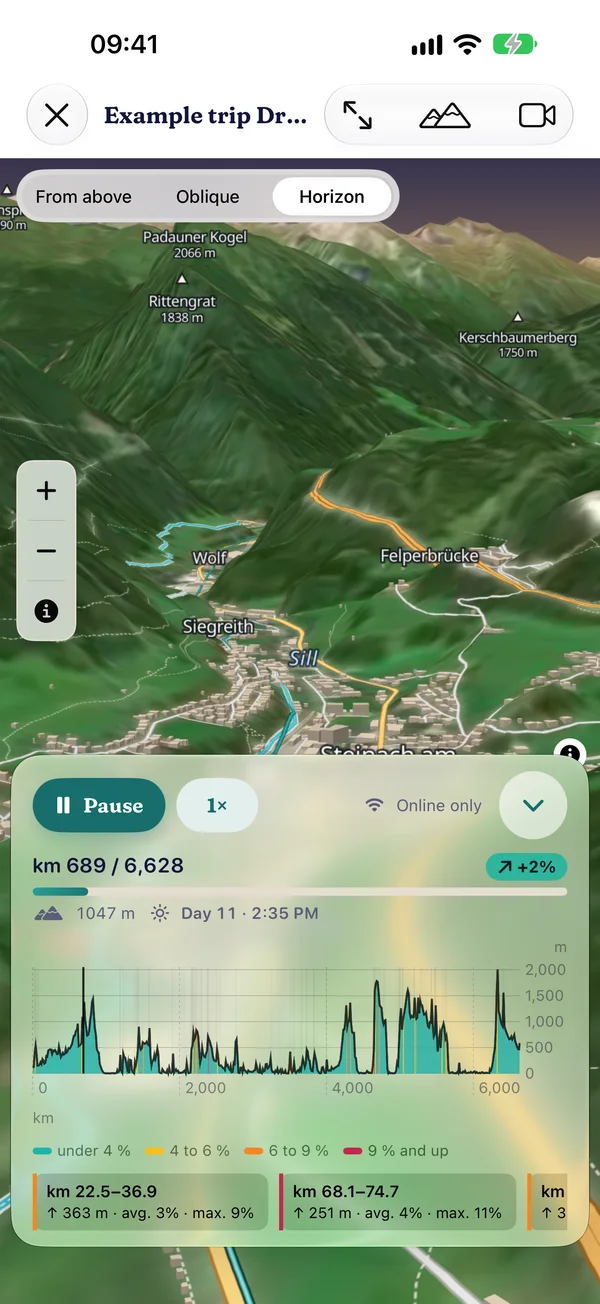
- 3D view over satellite imagery and terrain with an info box for place and elevation
- 3D flight along the route or trip: open 3D map with horizon and sky or “Apple 3D”, switchable during the flight, camera as follower, horizon or from above
- Pace, pause, jump to any day, the elevation profile guides the camera
- Record the flight as a video: free in 720p up to 60 seconds with watermark, with Pro 1080p in full length
- Free up to 1,500 km and on the example trip, with Pro over any distance
Offline and data
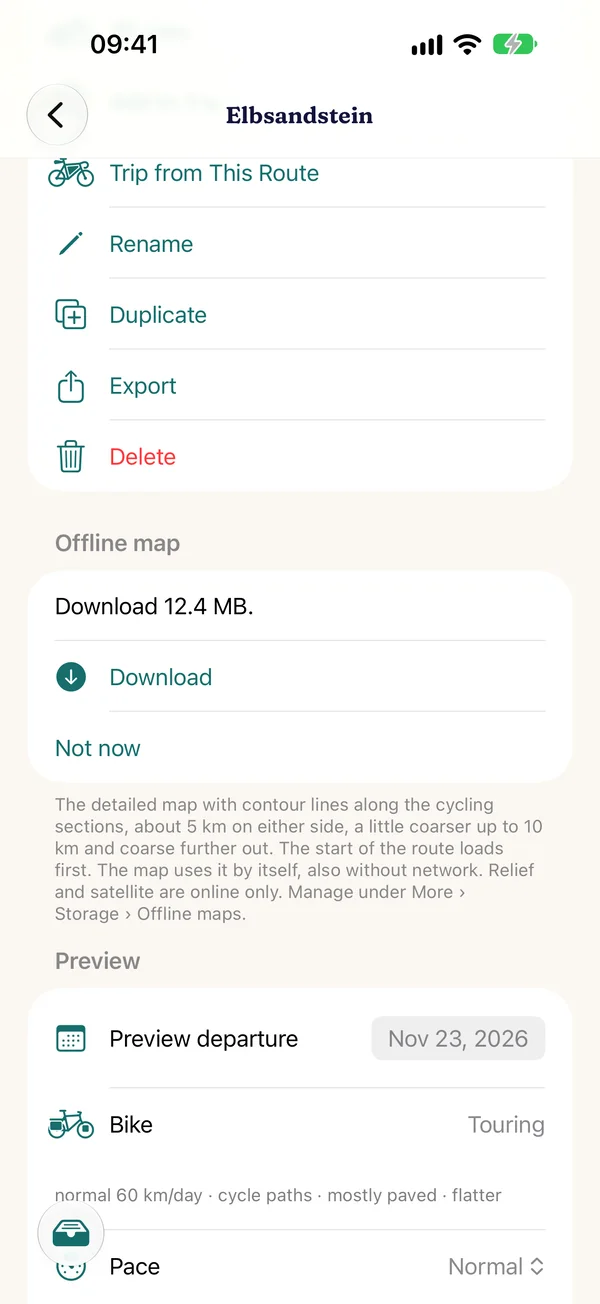
What you have downloaded works without a connection: map, routing, climate, search, countries, routes and trips. Large downloads only over Wi-Fi, if that is what you want.
Country packs and offline maps
A country in your pocket
- Download countries: a whole country with routing and offline map, up to about 5 km beyond the border, with the size first
- Or just the map along your trip or route, in trip order, with pause and resume
- The cycle network and contour lines come along for the same area, a world overview is built into the app
- Routing regions: sections along your route that the planner offers, view and delete under “More › Storage”
Mobile data and storage
You decide when to download
- Like the App Store: small downloads also over mobile data, before larger ones the app asks or waits for Wi-Fi (“More › Storage › Mobile data”)
- Storage overview: offline maps, routing data, climate pack, each entry deletable
- Before a download the app checks that enough space is free
- Satellite, relief and the 3D view load online, what you recently viewed stays on the device for a while
Devices and iCloud
The same trip on iPhone, iPad and Mac. Your data stays with you: on the device and, if you like, in your private iCloud.
iPhone, iPad, Mac
On all your devices
- Compact on iPhone with four tabs, on iPad with sidebar, map and inspector in two columns
- On the Mac as an iPad app on Macs with Apple silicon, with menu bar and window
- Sync through your private iCloud, can be turned off, encrypted, including the ridden tracks. We can't read anything
- Backup file without iCloud: all routes, trips and settings as a file, to move to a new device
- Conflicts are never overwritten silently: both versions stay, you decide
Help and more
A short tour to start, guides and a glossary in the app, what's new with every version and open data with sources.
- Tour to startFive pages from the evening loop to the trip around the world, then passport, location and routing for your area. Again at any time under “More › Help”.
- Guides and glossaryStep by step through planning, trips, offline and on the road, legends for map, climate and countries, terms explained.
- What's newWhat is new with every version, in the app under “More › What's new”.
- Data sources and licencesMap, routing, climate, elevation, countries: every source with its licence in the app and on the licences page.
- PrivacyNo account, no ads, no tracking. What the app loads when is in the privacy policy.
- Seven languagesGerman, English, French, Spanish, Italian, Dutch and Polish, voice guidance included.
Free and Pro
Free, you use all features with one trip and any number of routes up to 1,500 km. Pedalglobe Pro is a one-time purchase, not a subscription: any number of trips of any length, roadbook as PDF, GPX per day, 3D flight over any distance, video without watermark, routing options and your own bike types.